The Private Creator Studio
Indie iOS App

Idea to video in minutes.
One seamless pipeline.

SpeechBeat collapses voice capture, on-device AI formatting, and a teleprompter into one frictionless workflow.
Library
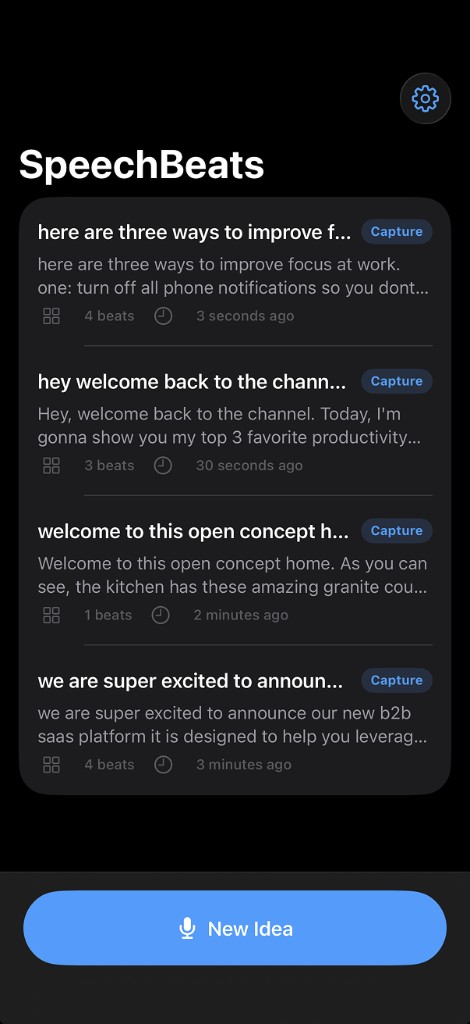
SpeechBeat Library hub
1. Capture
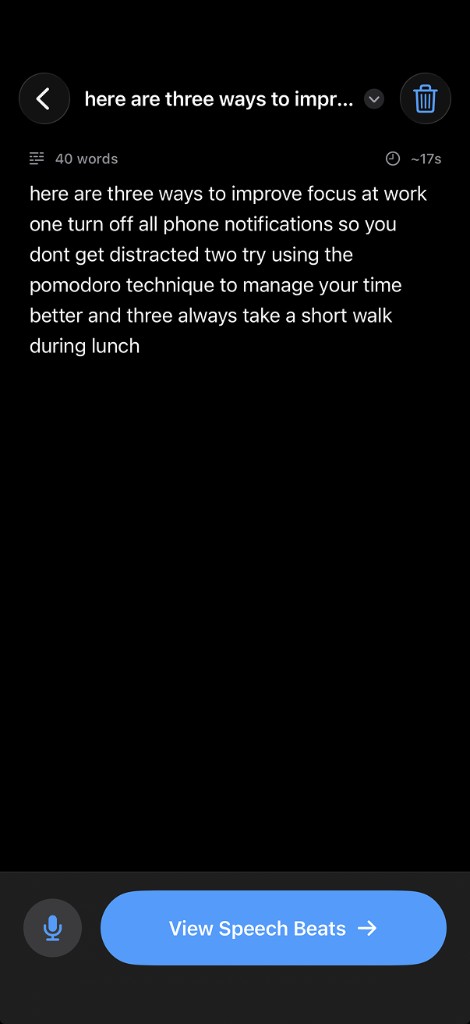
Capture step in SpeechBeat
2. Speech Beat
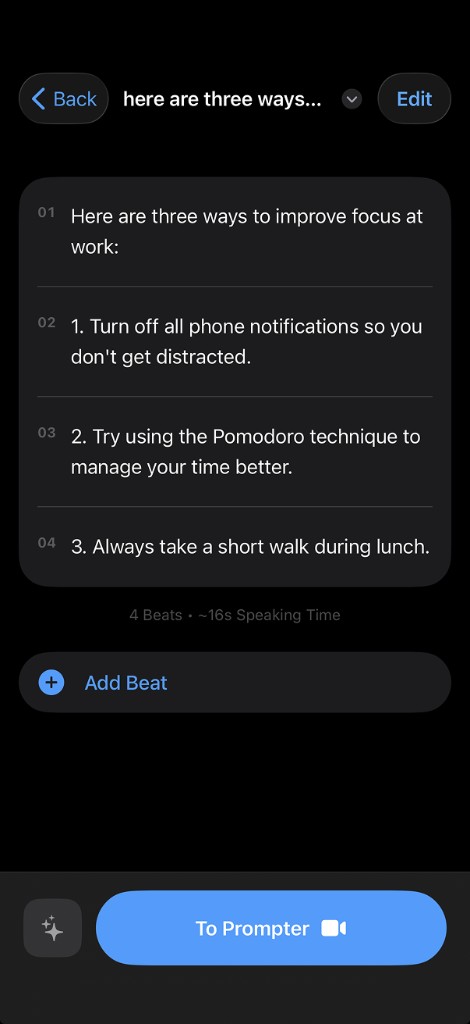
Speech Beat step in SpeechBeat
3. Record Studio
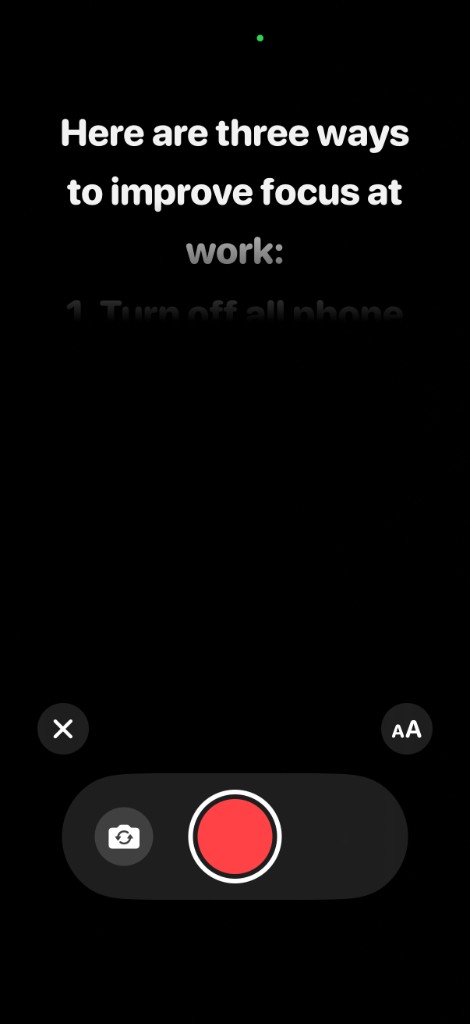
SpeechBeat full-screen recording studio with teleprompter

The SpeechBeat Advantage

Creator Native

Speed of Execution

Go from a raw idea to a finished 9:16 video in minutes. No exporting text, no switching apps, and no pasting API keys.

AI Script Polish

Powered by Apple Foundation Models. Automatically transform your rambling thoughts into perfectly paced, punchy recording beats.

100% On-Device

Your voice, AI processing, and video renders stay strictly on your hardware. Zero backend accounts, zero cloud processing.

Eyeline-First Design

Look at the lens, not the screen.

Traditional prompter apps force your eyes to scan the entire screen, breaking eye contact with your audience. SpeechBeat restricts text to the top 35% of the frame, right next to your camera lens.

  • Full-screen 1080p/4K front camera recording
  • Center-aligned scrolling with Apple Music-style fade
  • Tap any beat to instantly jump the scroll position
3. Record Studio
Teleprompter locked to the top 35% of the screen
The Workflow

One frictionless pipeline.

SpeechBeat manages the entire lifecycle of a short-form video. Your library saves projects automatically, opening exactly where you left off.

Library

Tap New Idea or tap any saved project row. Smart badges show whether you're ready to capture, polish, or record.

1. Capture

Speak naturally using on-device dictation, or paste raw text. Track live word counts and pacing metrics, then tap View Speech Beat.

2. Speech Beat

On-device AI formats your text into bite-sized teleprompter chunks. Reorder or edit inline, then tap To Prompter.

3. Record Studio

Film your take with a built-in prompter sitting near the lens. Tap Start Recording and save directly to Photos.

Powerful Free Tier

SpeechBeat is free to use for your full creator workflow: Capture dictation, on-device AI formatting, teleprompter, and recording. You get 3 free video saves to your Camera Roll.

  • Capture Dictation & AI Formatting
  • Full Teleprompter & Recording
  • 3 Free Video Saves
SpeechBeat Pro

Unlimited Saves

Upgrade to Pro with a single one-time lifetime purchase to save unlimited finished videos to your Camera Roll. No subscriptions.

  • Unlimited Video Saves
  • One-Time Lifetime Purchase
  • No Auto-Renewable Subscriptions

Frequently Asked Questions

Offline AI & Video
Does SpeechBeat require an internet connection?
No. SpeechBeat operates 100% offline. Voice dictation, AI script polishing, and video processing all run natively on your iPhone hardware. No cloud servers are ever used.
Where are my videos saved?
Videos are exported directly to your native Photos app. SpeechBeat only uses 'Add Only' permissions, meaning it can save your finished takes but cannot read or scan your existing photo library.
What is the difference between Free and Pro?
The free version includes Capture dictation, on-device AI formatting, the teleprompter, full-screen recording, and 3 free video saves to your Camera Roll. SpeechBeat Pro is a one-time lifetime purchase that unlocks unlimited saves. There are no auto-renewable subscriptions.
How does the teleprompter keep my eyes on the lens?
The UI is specifically engineered for vertical video. The prompter text is center-aligned and locked to the top 35% of the screen, right next to your front camera. All recording controls are pushed to the bottom, ensuring your eyeline never drops while speaking.

Capture, format, and record in one app.

Film perfectly paced short-form video on your iPhone.

Join the Builder's Ecosystem

Subscribe to my newsletter for technical breakdowns on iOS architecture, on-device AI, and updates on my independent software projects.